Trip Analytics
Every drive is automatically detected, recorded, and analyzed. View route maps, eco scores, energy consumption breakdowns, efficiency metrics, and driving patterns — all computed from the 10-minute polling data.
Trip List
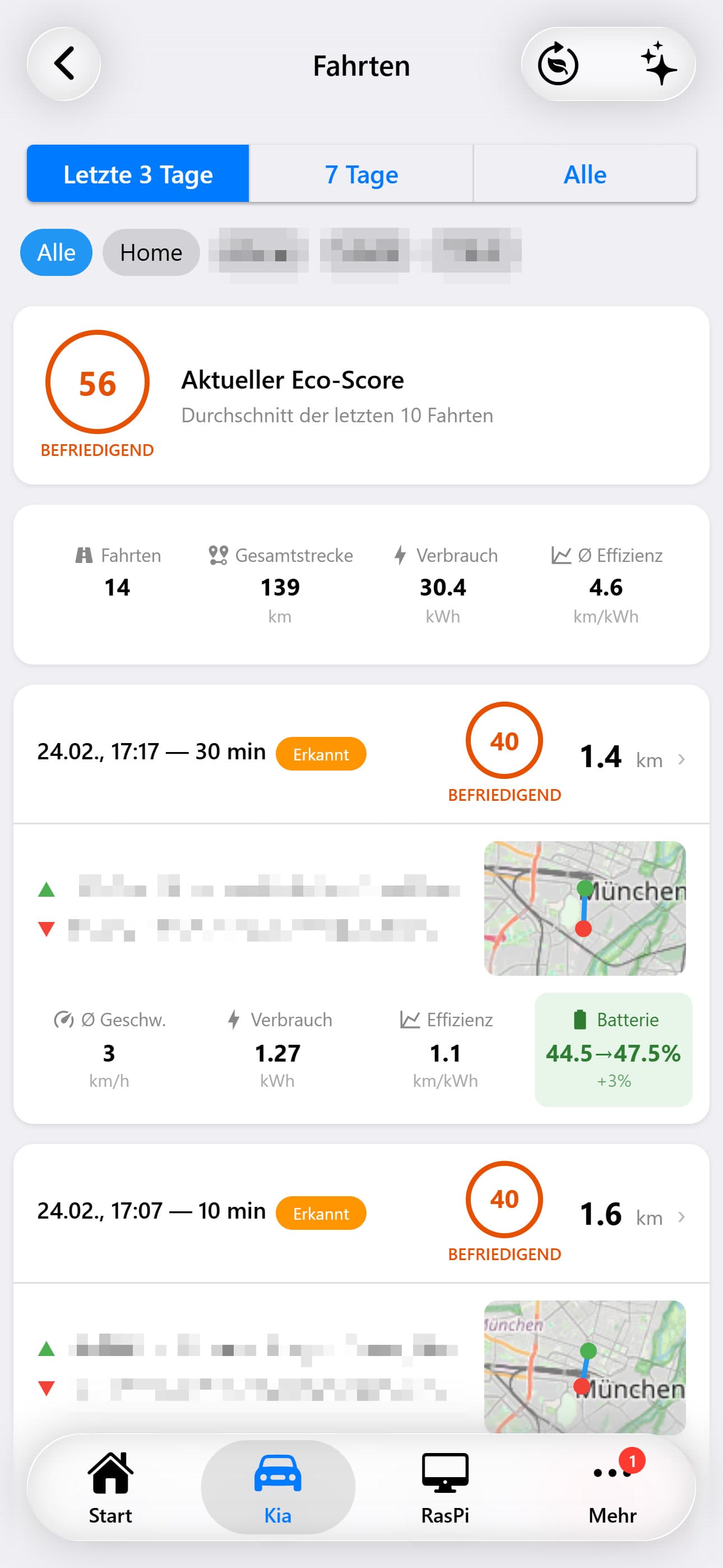
The main trips page displays all recorded drives as scrollable cards, sorted by most recent first. Each trip card provides a quick summary of the journey at a glance.
Filtering
A filter bar at the top lets you narrow trips by time range: Last 3 Days, Last 7 Days, or All Trips. Below the time filter, location chips appear for each saved location (e.g., 'Home', 'Work', 'Gym'). Tapping a location chip filters to only show trips starting or ending at that location.
Each Trip Card Displays
When the trip started and how long it took
Total distance driven during this trip
Color-coded badge: green (80+), yellow (60-79), orange (40-59), red (<40)
Reverse-geocoded addresses with saved location names
A small 120×80px map thumbnail showing the trip route
Average speed, energy consumed, efficiency (km/kWh), battery delta
Trip Detail Page
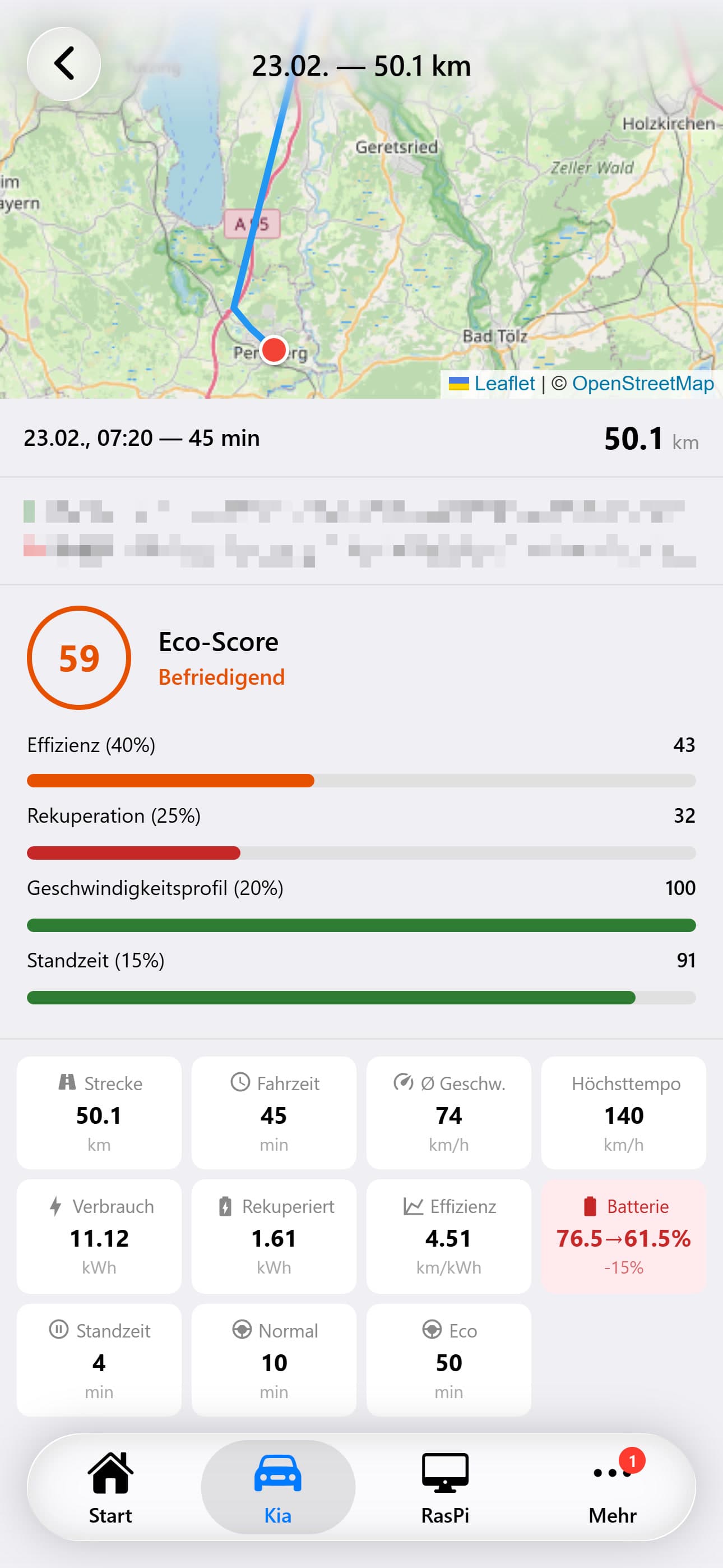
Tapping a trip card opens its full detail view. The page begins with a full-width interactive Leaflet map showing the complete trip route, with a green marker at the start and a red marker at the end.
Trip Header
Below the map: date, duration, and total distance. Start and end addresses are displayed with their reverse-geocoded street names. If a location matches a saved location, its custom name (e.g., 'Home') appears as a highlighted tag.
Eco Score Breakdown
A prominent circular score indicator shows the total eco score (0-100). Below it, four individual factor scores are displayed as progress bars with their respective weights:
Efficiency
Energy consumption relative to an ideal baseline for the driving conditions
Regeneration
How much kinetic energy was recaptured through regenerative braking
Speed Control
Adherence to speed ranges that optimize energy efficiency
Idle Time
Penalty applied for time spent stationary with the vehicle running
Performance Metrics
Eco Score Trends
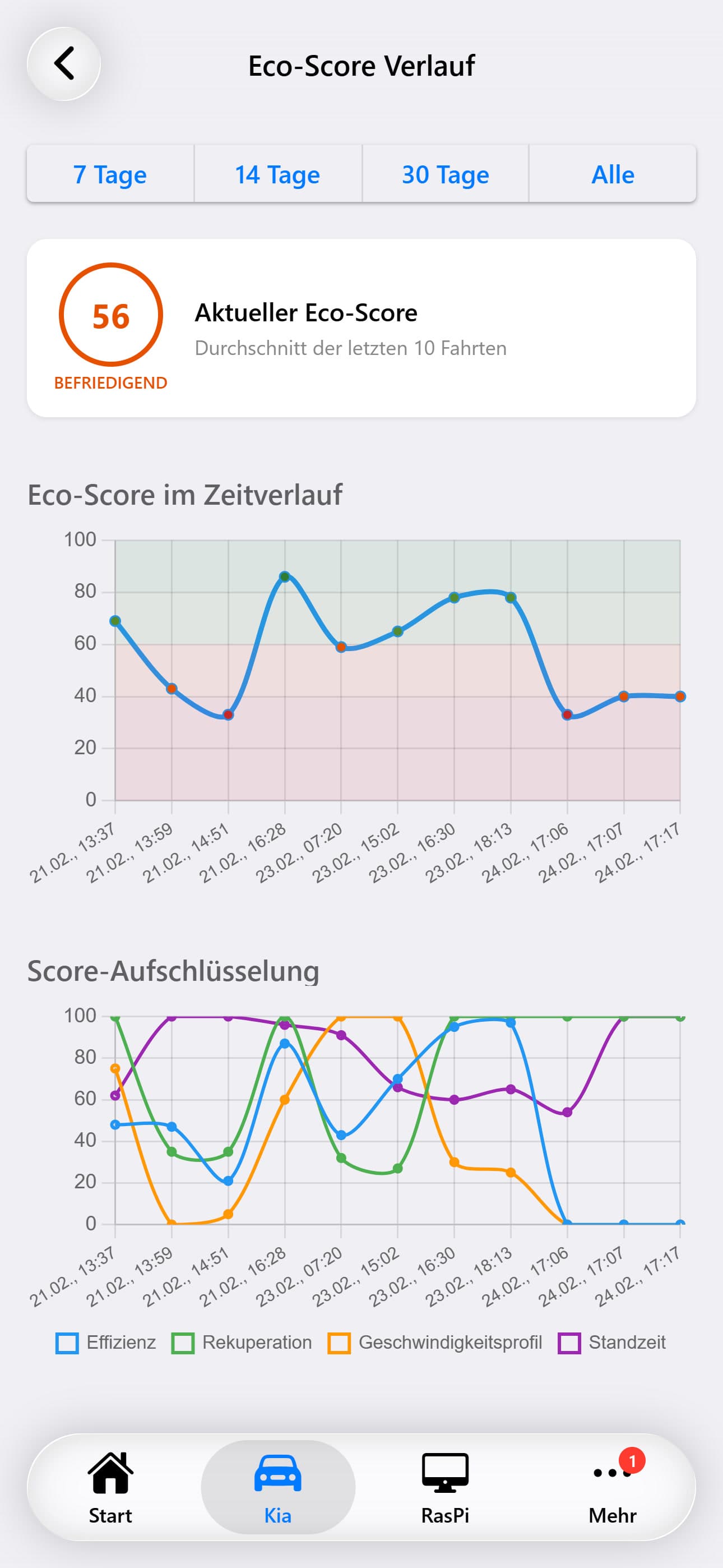
A dedicated chart page plots eco scores over time as a scatter-line chart. Each trip appears as a data point, connected chronologically. The chart uses the same color zones as the eco score badge (green, yellow, orange, red backgrounds). The selected day filter (3, 7, or all days) from the trip list carries over.
AI Trip Analysis
The analysis page sends your trip data to a configurable AI model for a comprehensive evaluation. The AI analyzes driving patterns, efficiency trends, eco score progression, and provides personalized recommendations for improving your driving habits. Results stream in real-time as the AI processes the data. The analysis can be exported as an image for sharing.