KIA Dashboard
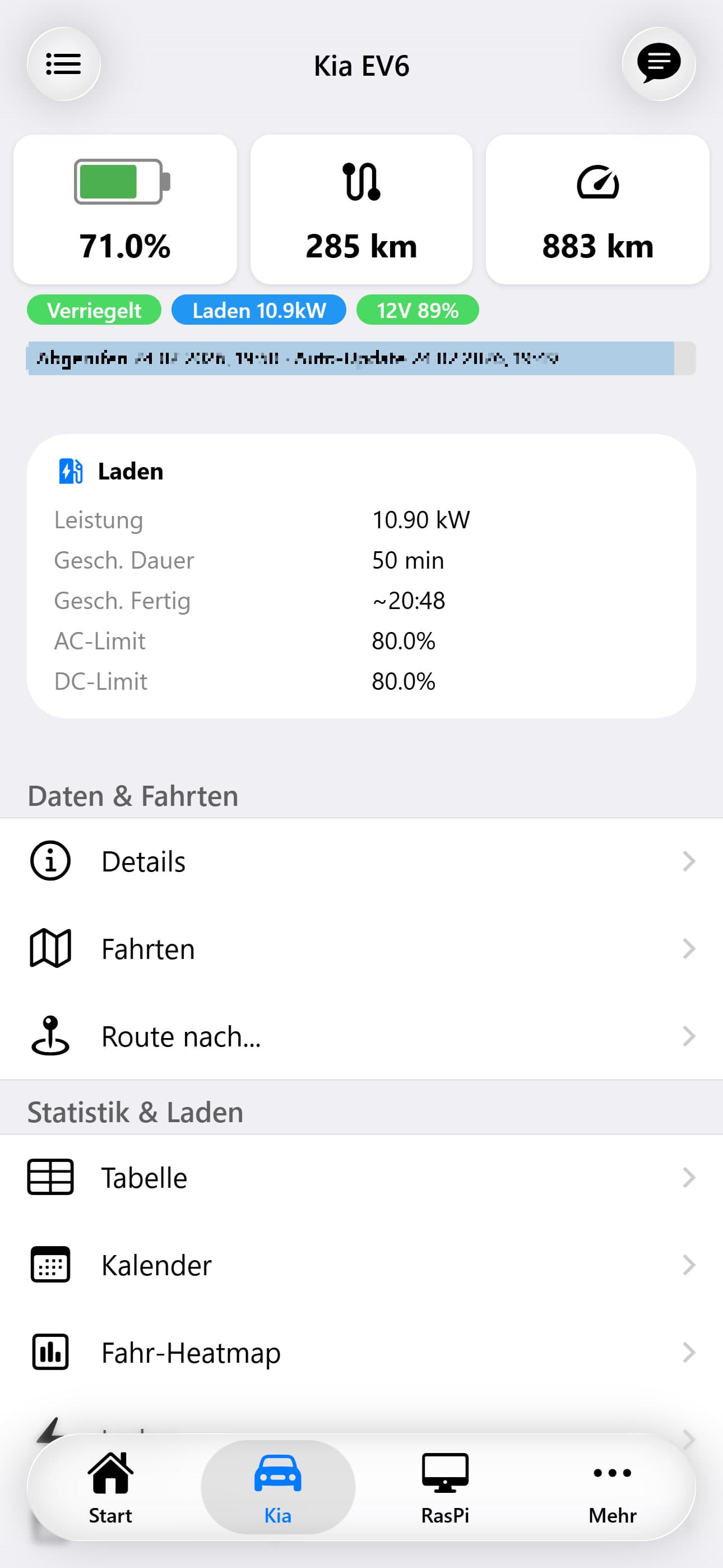
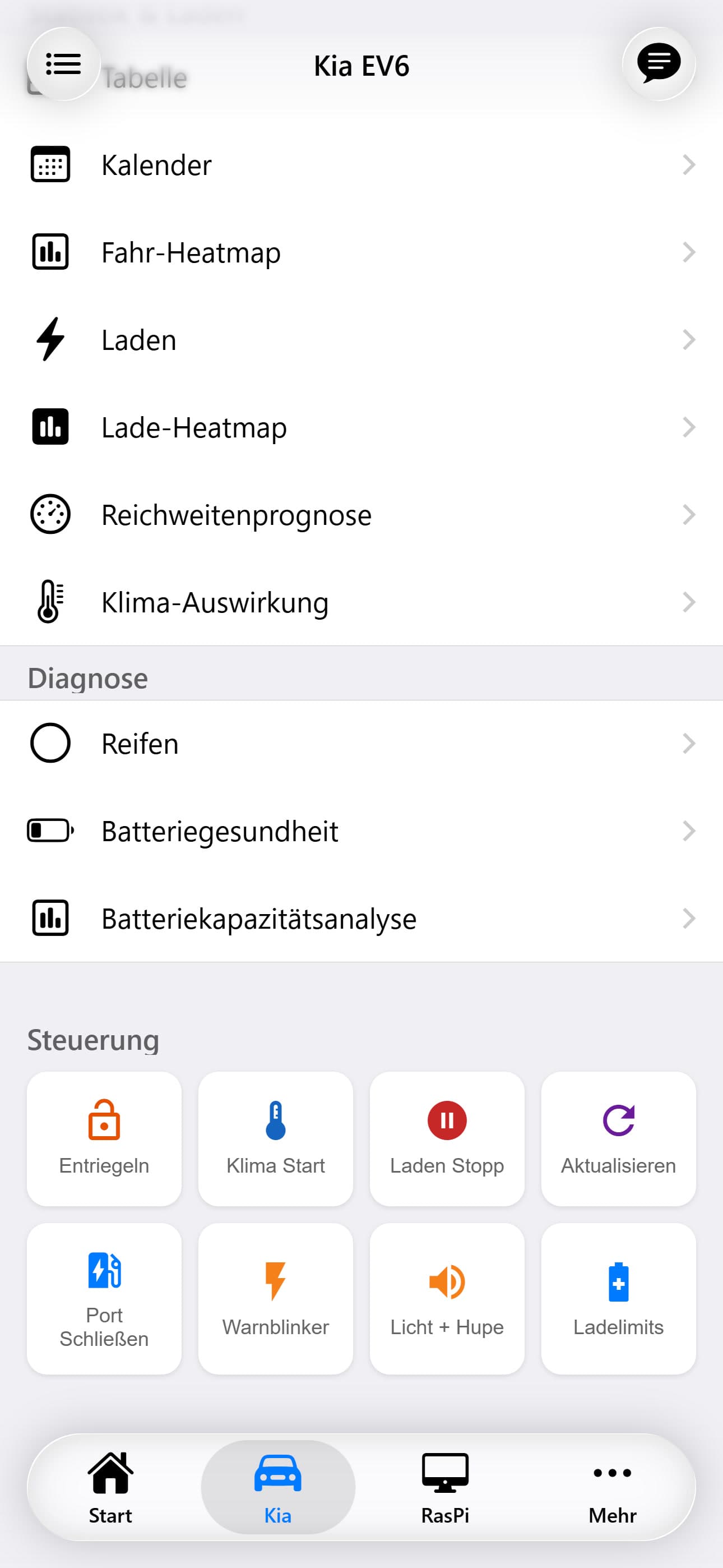
The central hub for your Kia EV6. At a glance, see your battery level, estimated range, odometer, and complete vehicle status — updated every 10 minutes from the Kia Connect EU API via a Python background script.
Live Metrics
Three primary metric cards dominate the top of the dashboard. Each is interactive — tap any metric to view its historical time-series chart.
Animated circular gauge showing current battery percentage. A secondary ring indicates the configured charge limit. Color transitions from red (low) through yellow to green (full).
Estimated driving range in kilometers as reported by the vehicle's onboard computer. Updated with each API poll.
Total distance driven in kilometers. Displayed as a large numeric value with the unit label.
Vehicle Status
Below the metrics, a row of status chips provides quick visual indicators for the vehicle's current state. Each chip is color-coded: green for safe/normal, yellow for active/in-progress, red for alerts.
Charging Details: When the vehicle is actively charging, the dashboard displays additional information: current charging power (kW), time elapsed since charging started, estimated time to completion, and whether it's AC or DC charging.
Temperature: The outside temperature as reported by the vehicle's sensors is displayed alongside the climate control set temperature when climate is active.
Vehicle Details
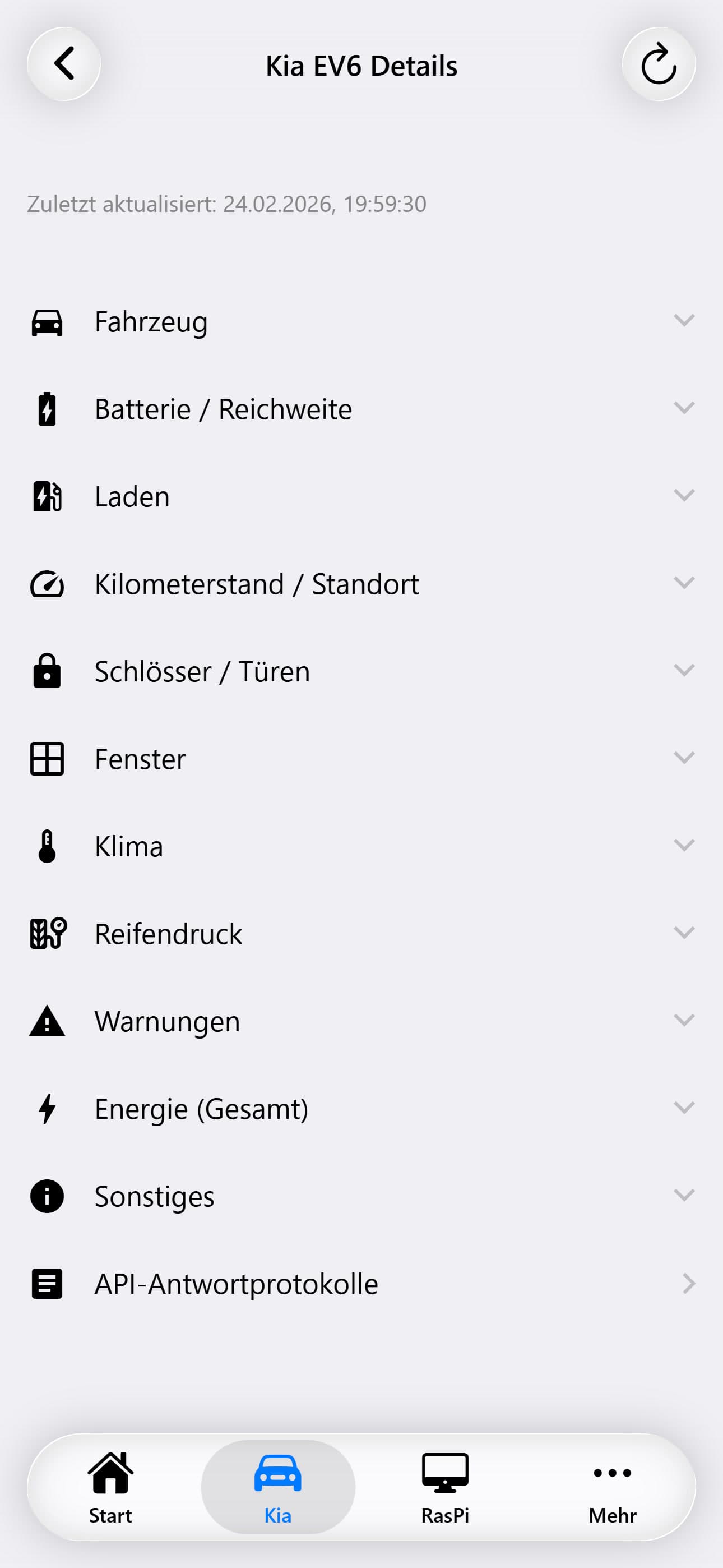
The details subpage presents all 60+ tracked vehicle parameters organized into 9 collapsible accordion sections. Each parameter value is tappable — linking to a historical time-series chart for that specific metric.
Name, model, VIN, registration date
Battery %, SOH %, capacity (kWh), remaining energy, range (km), 12V battery %
Charging state, power (kW), current, port door, charge limits (AC/DC), time estimates, target range, V2L limits
Odometer (km), latitude, longitude, heading — location fields link to an interactive map view
Overall lock state + individual lock/open state for all 4 doors, hood, and trunk
Open/closed state for all 4 windows
Climate on/off, set temperature, outside temperature, defrost, heated rear window, steering wheel heater, seat heater states (all 4 seats)
Warning flags for all 4 tires + overall tire pressure status
Smart key battery, washer fluid, brake fluid, fuel level warnings
Historical Charts
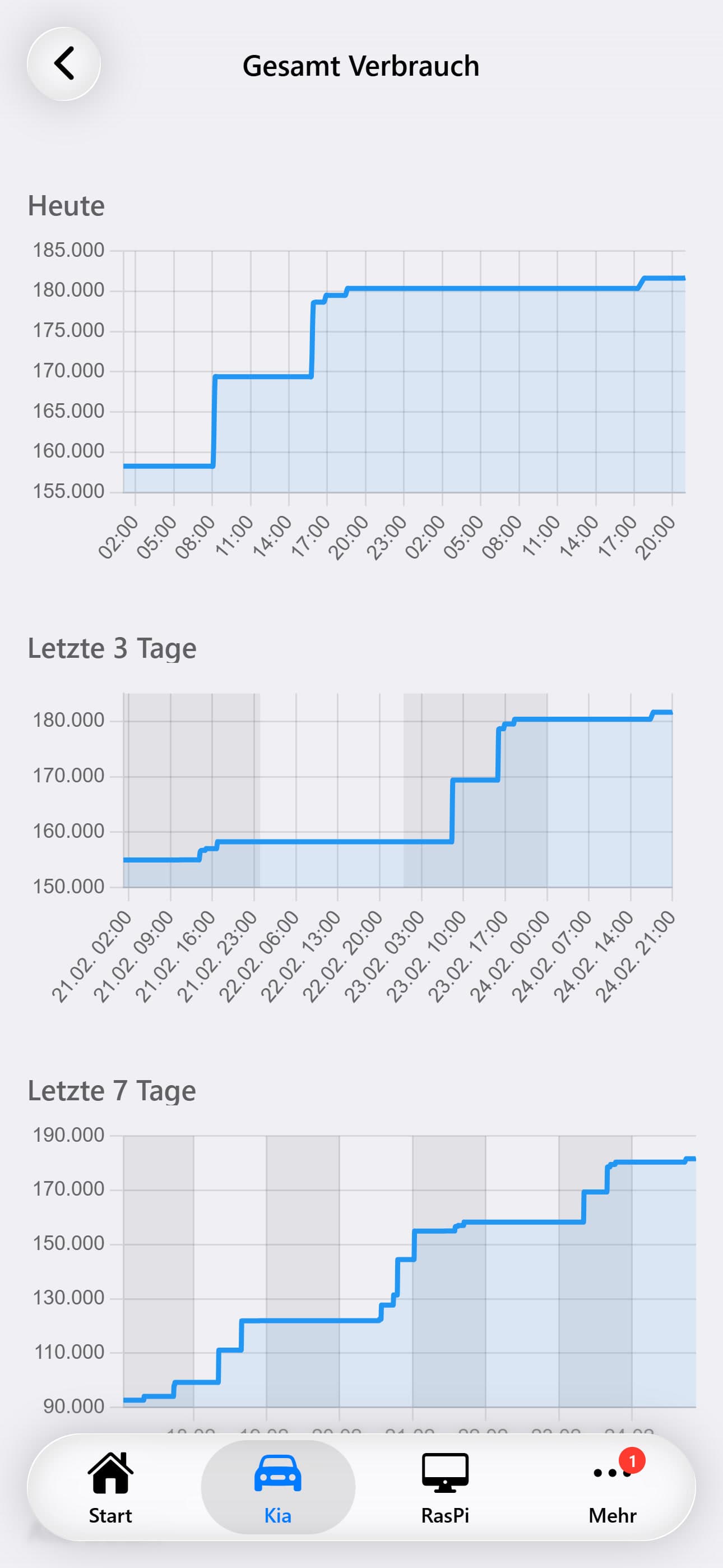
Tapping any metric value navigates to a dedicated chart page showing that parameter's history over time. The chart page offers 4 time ranges:
Charts use colored background zones to indicate safe, warning, and critical ranges. For example, battery percentage charts show green (80-100%), light green (50-80%), orange (20-50%), and red (0-20%). Location parameters (latitude/longitude) display an interactive Leaflet map instead of a line chart.