Analytics & AI Insights
Go beyond individual trips and charging sessions. Analyze driving patterns across time, understand climate control's impact on range, predict future range, and let AI find insights you might miss.
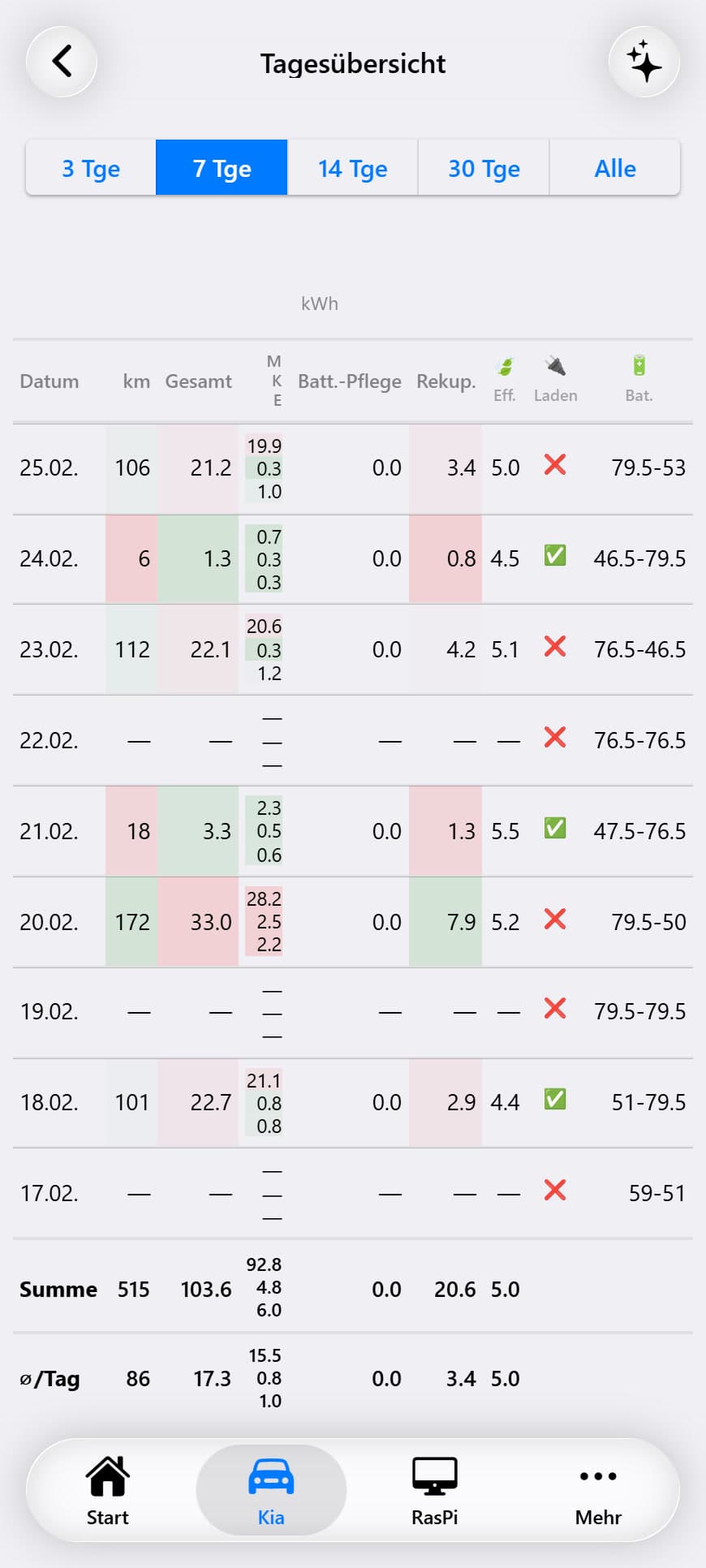
Daily Stats Calendar
A calendar heatmap view showing your daily driving statistics at a glance. Each day cell is color-coded based on the selected metric's value, making it easy to spot trends and patterns across weeks and months.
Available Metrics
You can overlay up to 3 metrics simultaneously on the calendar. Each cell can display multiple values as small colored indicators:
Navigate between months using forward/back controls. Days with no driving data appear empty. The color intensity scales from light (low values) to dark (high values).
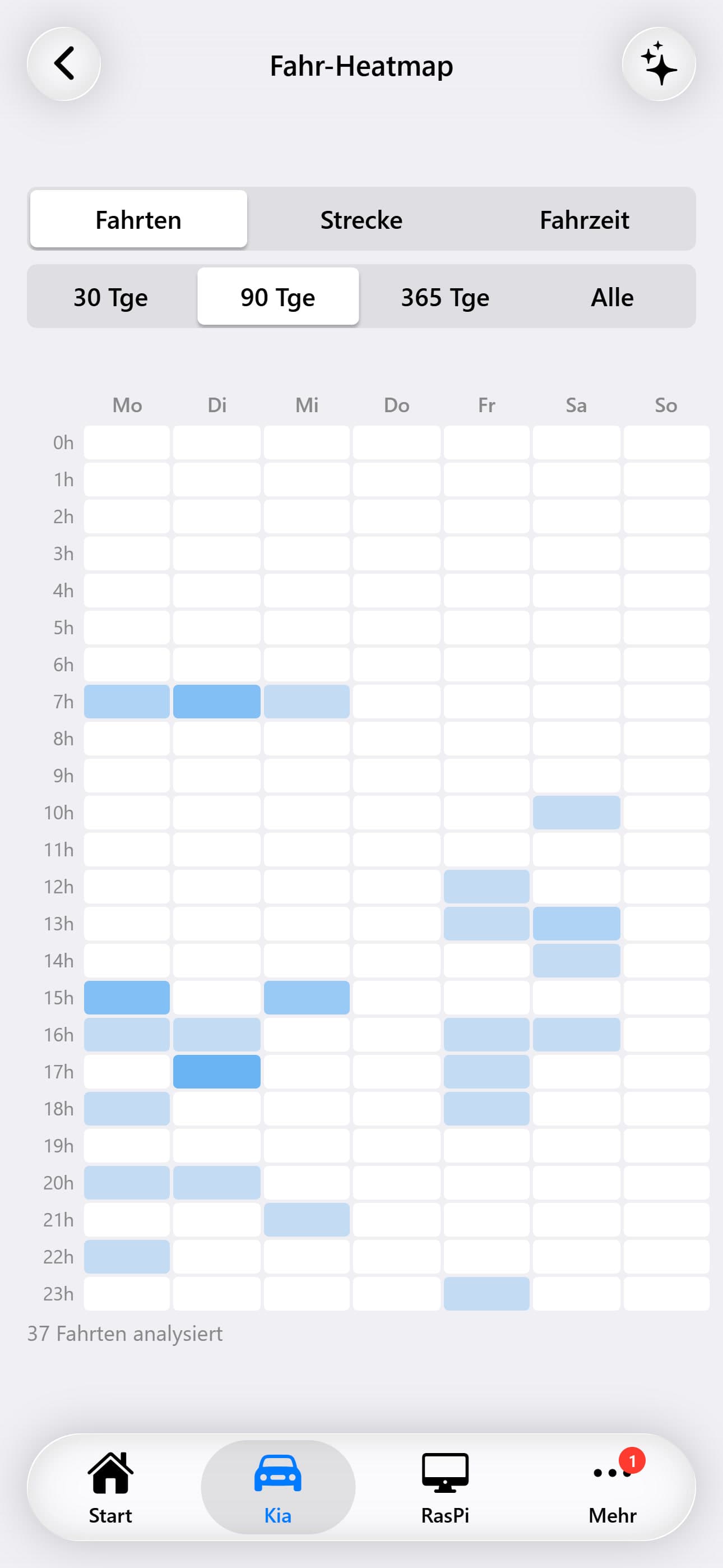
Driving Heatmap
A 7×24 grid visualization mapping your driving patterns by day-of-week (rows) and hour-of-day (columns). This reveals when you typically drive — useful for understanding your mobility patterns and planning charging around your schedule.
Heatmap Metrics
The heatmap color intensity can represent different metrics:
Clicking a cell shows detailed statistics for that specific day-and-hour combination. An AI analysis option evaluates your driving patterns and suggests optimizations.
Climate Control Impact
Analyzes how climate control usage (heating and cooling) affects your vehicle's energy consumption and range. This page helps you understand the real-world cost of comfort features on an EV.
The analysis breaks down the climate_consumption_wh component from the daily driving stats, comparing trips with and without active climate control. It correlates outside temperature with climate energy usage to show the seasonal impact on your driving efficiency.
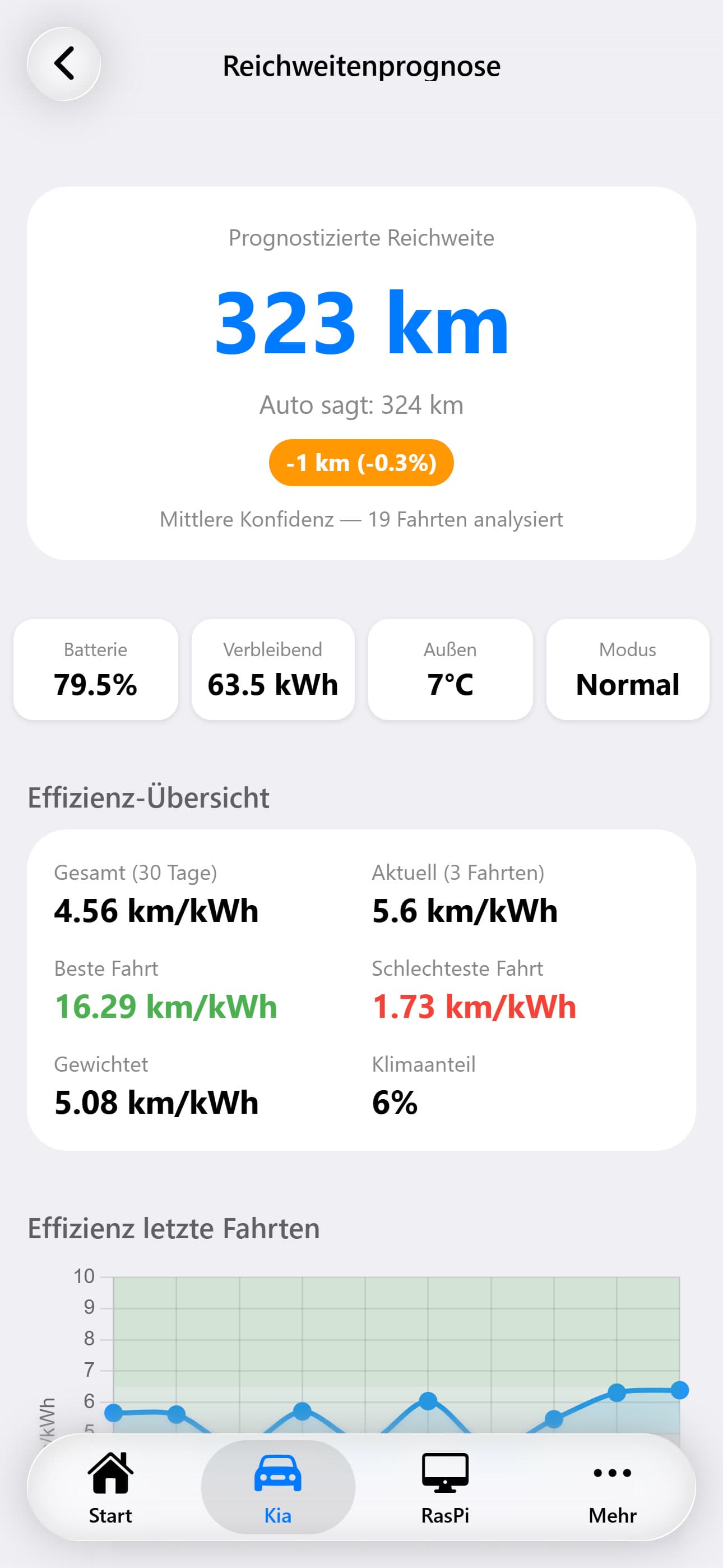
Range Prediction
The range prediction page tracks the vehicle's estimated range over time and correlates it with actual driving efficiency. By comparing the vehicle's own range estimate with real-world consumption data, it provides more accurate range predictions based on your personal driving patterns, typical routes, and current conditions.
AI Reports
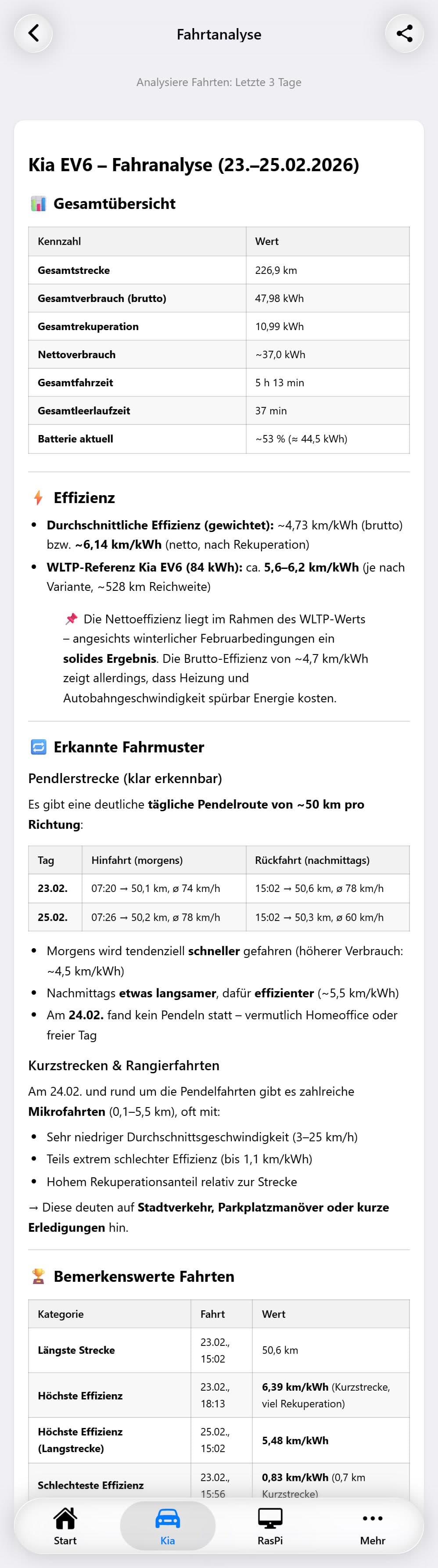
Automated AI-generated insight reports that periodically analyze your vehicle data and surface noteworthy findings. Reports are generated by a configurable AI model and stored for historical review.
Report List
Reports are displayed in a list grouped by date (Today, Yesterday, This Week, etc.). Each report card shows:
Insight Severity Levels
Alert
Critical findings requiring immediate attention (e.g., unusual battery degradation)
Warning
Notable trends worth monitoring (e.g., declining efficiency)
Info
Informational insights and positive observations (e.g., improved eco scores)
AI Chat
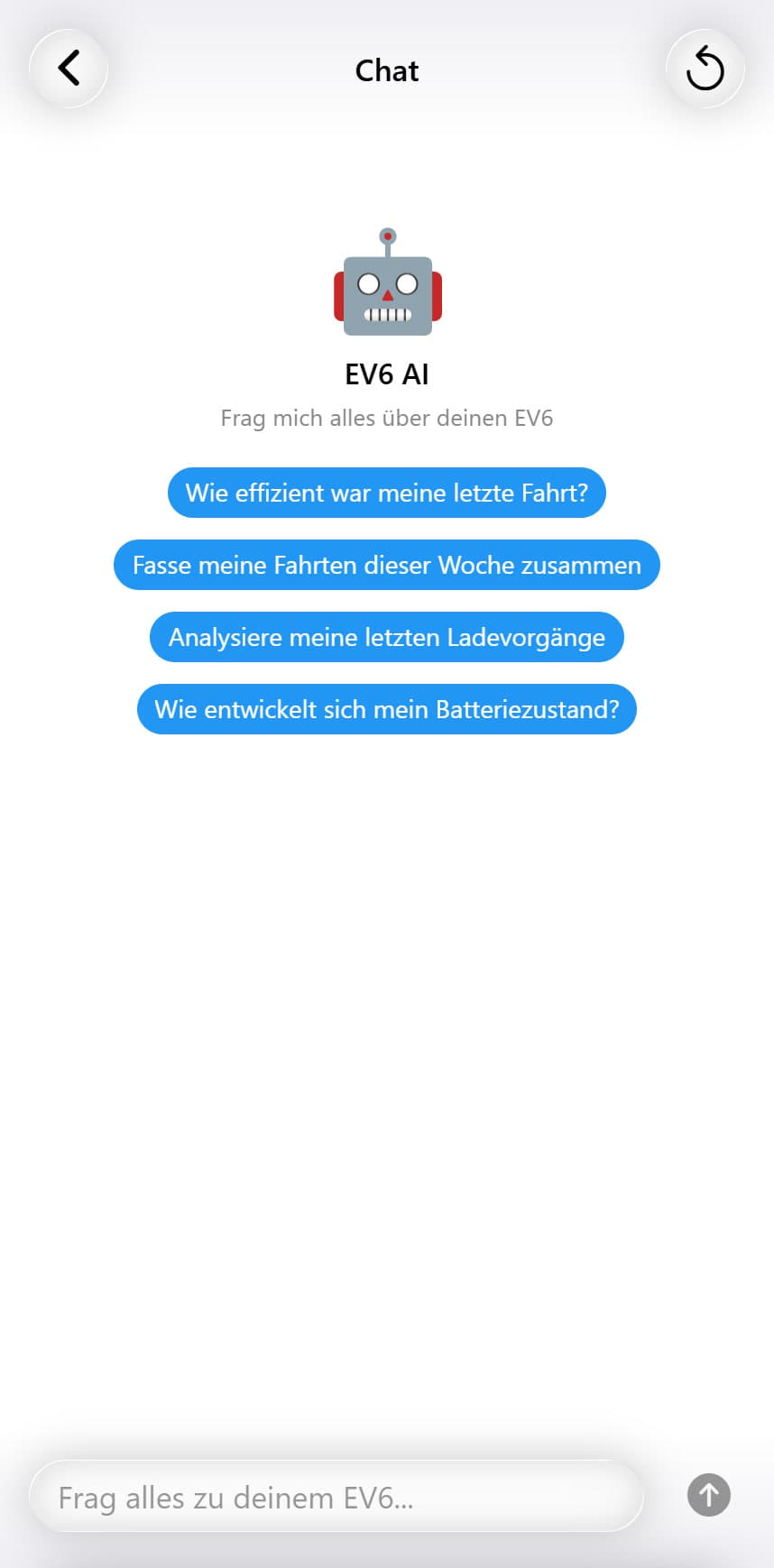
A conversational AI interface lets you ask natural-language questions about your vehicle data. Ask things like 'What was my most efficient trip last week?', 'How much have I spent on charging this month?', or 'Compare my winter and summer efficiency'. The AI has access to your complete vehicle database and can query it to answer questions.