Charging Sessions
Every charging event is automatically detected and recorded with full power curve data. Track energy added, charging speeds, session durations, and manage your charging providers — all with detailed analytics and AI-powered insights.
Charging Session List
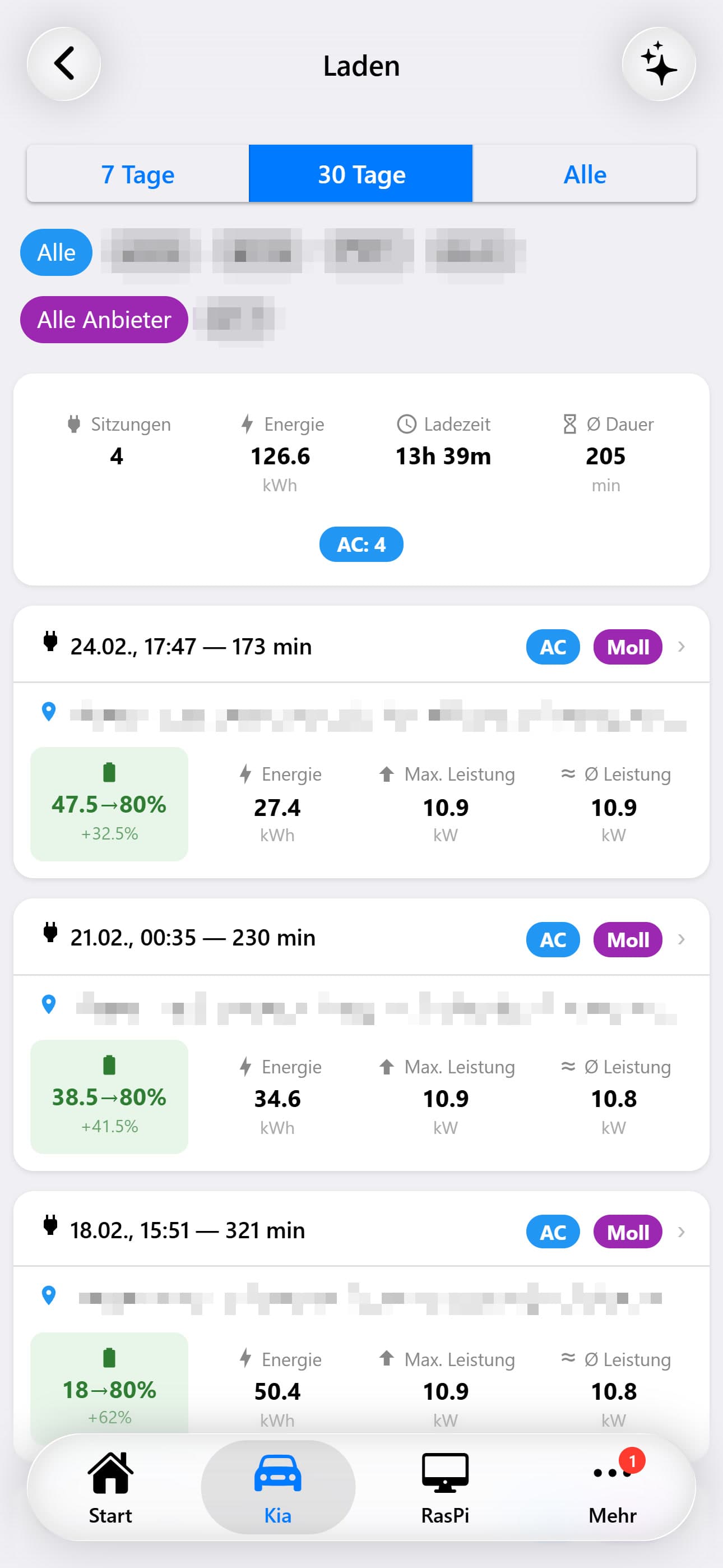
All charging sessions are displayed as scrollable cards with the most recent first. Sessions that are still in progress are highlighted with a pulsing indicator.
Filtering Options
Filter by time range (Last 7 Days, Last 30 Days, Last Year), by saved location (e.g., 'Home', 'Work'), or by charging provider. Multiple filters can be combined.
Each Session Card Displays
When charging started and total duration (or 'in progress' indicator)
Color-coded badge indicating AC (slow) or DC (fast) charging
The assigned charging provider (e.g., 'EnBW', 'IONITY', 'Home')
Reverse-geocoded address of the charging location
Battery percentage at start → end (e.g., 20% → 80%)
Energy added (kWh), max power (kW), average power (kW)
Charging Session Detail
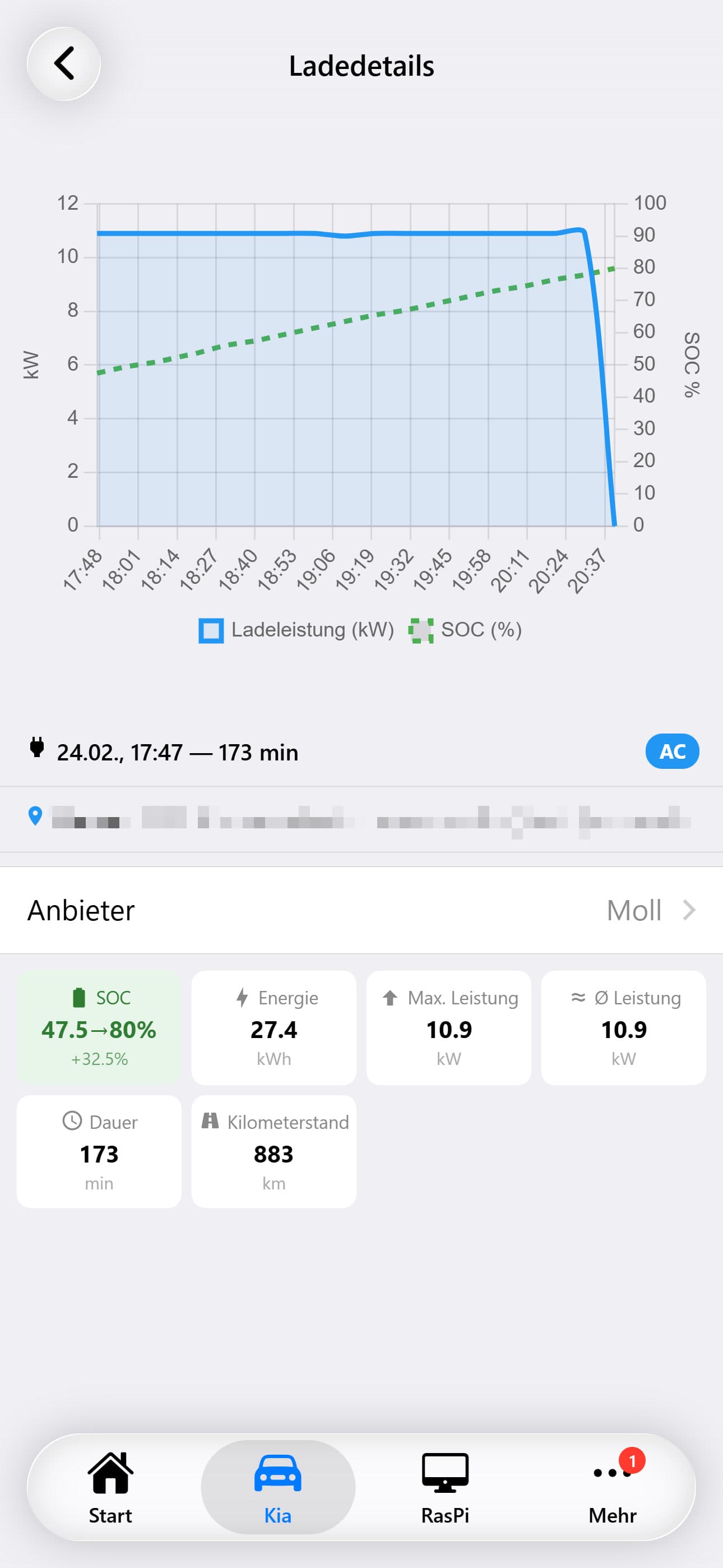
Tapping a session card opens the full detail view, centered around an interactive power curve chart.
Power Curve Chart
A dual-axis time-series chart is the centerpiece of the detail page. The left Y-axis shows charging power in kW (displayed as a filled area chart), while the right Y-axis shows battery State of Charge (SOC) as a percentage (displayed as a line). The X-axis is the session timeline. This visualization clearly shows how charging power typically starts high on DC fast chargers and tapers as the battery fills — the classic charging curve.
Chart Curves
Charging Power (kW)
Blue filled area on the left Y-axis. Shows the instantaneous charging power at each data point. On DC fast chargers, this curve typically starts high (50-220 kW) and tapers as SOC rises. On AC chargers, it stays relatively flat at the charger's rated power.
State of Charge / SOC (%)
Green dashed line on the right Y-axis (0-100%). Shows the battery percentage climbing during the session. The slope flattens as the battery approaches the charge limit, reflecting the reduced charging speed.
ProjectionIn-progress only
Orange dashed line visible only during active charging sessions. Draws a straight projection from the current SOC to the configured charge limit, based on the vehicle's estimated remaining charge duration. The endpoint is marked with a dot showing the projected completion time and target SOC.
Charging session detail during active charging
Active vs. Completed Sessions
- Green 'In Progress' badge in header
- Green border around the card
- Orange projection line to charge limit
- Estimated completion time displayed
- Auto-refreshes every 60 seconds
- Power curve grows with each refresh
- Duration shown in header
- Default card border
- No projection line
- No estimated completion field
- Static data (no auto-refresh)
- Full power curve from start to end
Session Metrics
Below the chart, a grid of stat cards summarizes the session. During active charging, an additional 'Estimated Completion' card with the projected end time appears.
Provider Assignment
A dropdown on the detail page lets you assign or change the charging provider for each session. Providers are managed in a separate settings page where you can add, rename, or remove charging providers (e.g., 'Home Wallbox', 'EnBW', 'IONITY', 'Aral Pulse').
Charging Heatmap
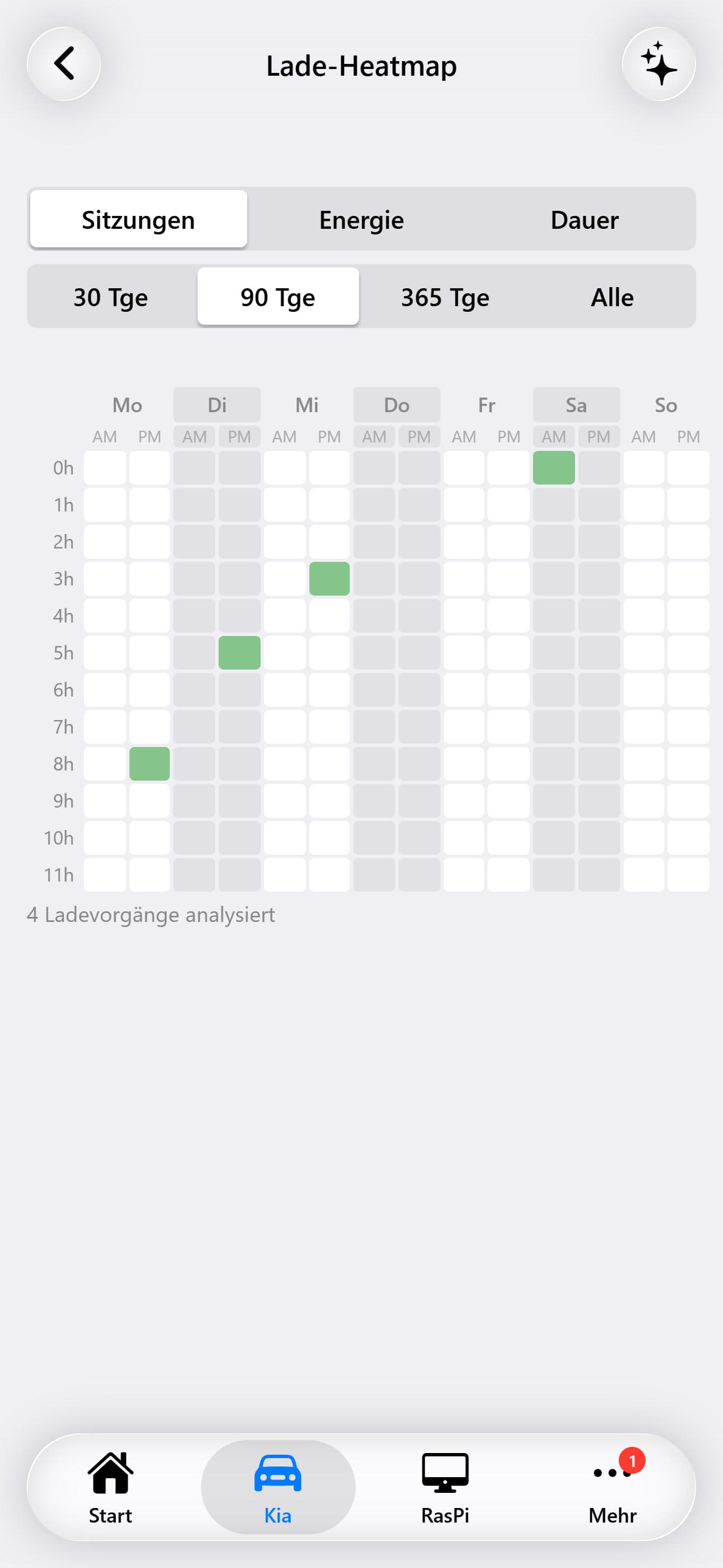
A 7×24 grid visualization (day-of-week × hour-of-day) showing when you typically charge. Color intensity represents the frequency or energy amount. Helps identify your charging patterns and optimize for off-peak electricity rates.
AI Charging Analysis
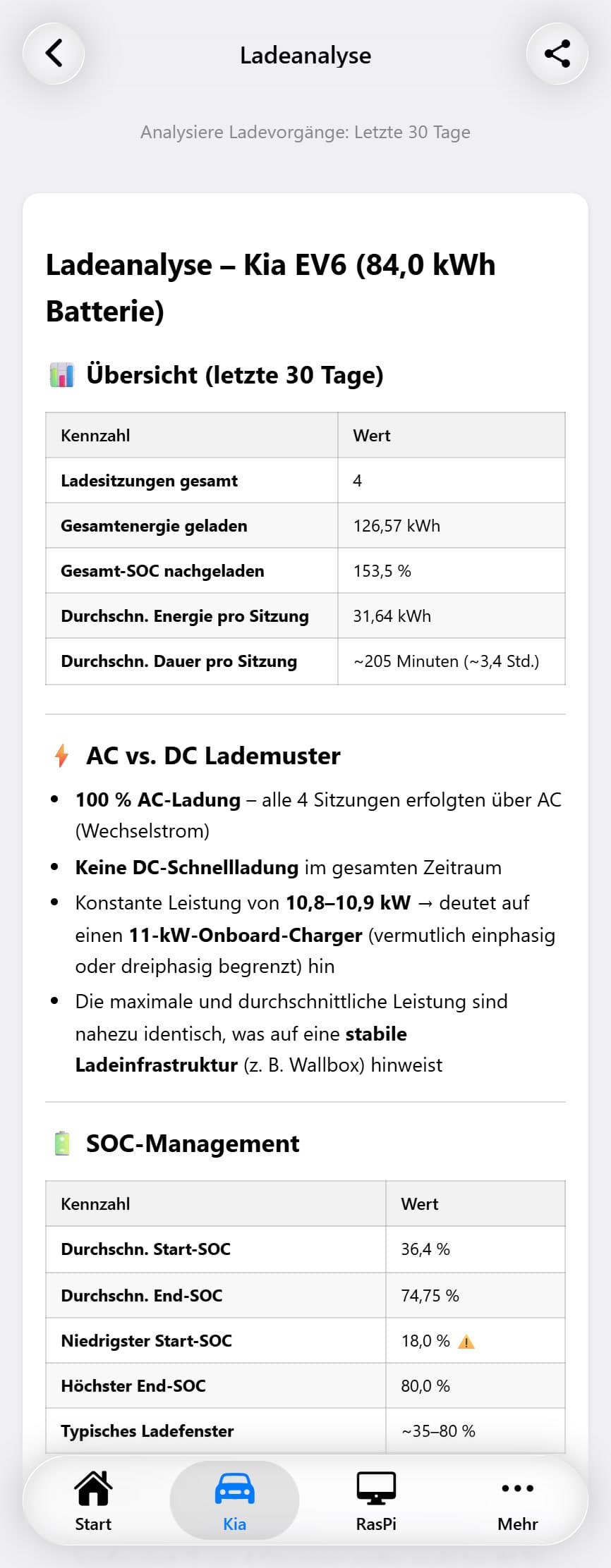
A configurable AI model analyzes your charging behavior, identifies patterns (preferred times, locations, providers), evaluates charging efficiency, and provides recommendations for cost optimization and battery longevity. The AI considers factors like DC fast charging frequency (which affects battery health) and whether off-peak charging could save costs.